Deprecated: mb_convert_encoding(): Handling HTML entities via mbstring is deprecated; use htmlspecialchars, htmlentities, or mb_encode_numericentity/mb_decode_numericentity instead in /home/cardenitservices/public_html/wp-content/themes/hello-elementor-child/functions.php on line 128
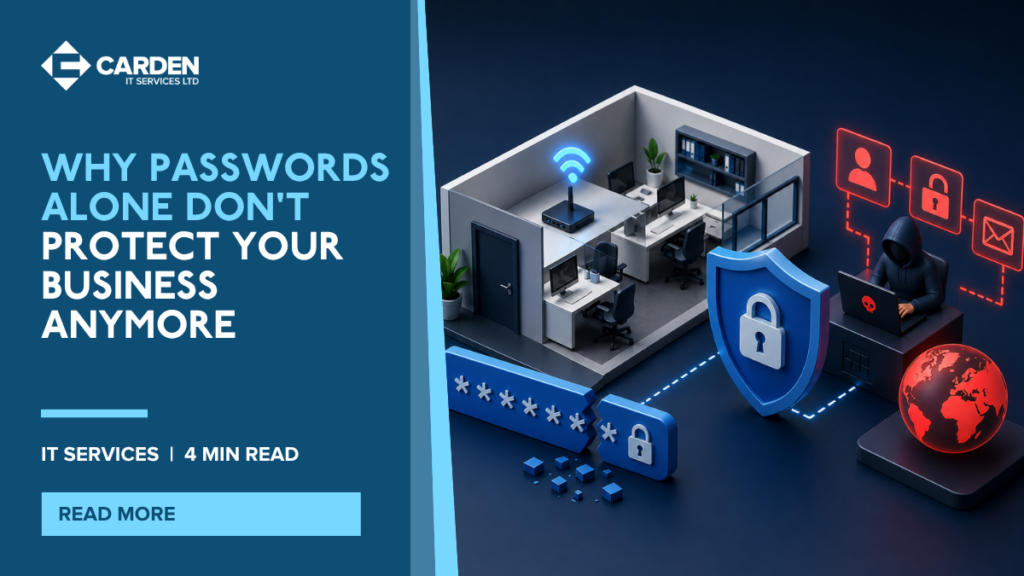
Do you still feel that a strong password is enough to keep your business safe?
For a long time, passwords were treated as the main barrier between a user and a business system. If the password was long enough and difficult enough to guess, many companies felt reasonably protected.
That is no longer the case.
Passwords still matter, but on their own they are not enough to protect Microsoft 365 accounts, business applications, shared systems, or sensitive company data. Attackers have become far better at getting around them, and many breaches now start with a compromised login rather than a dramatic technical hack.
The good news is that there are practical, sensible steps businesses can take to improve security without making life harder for staff. Here is what business owners and office managers need to know.
Why Passwords Fail So Often
The problem is not just weak passwords. It is the way passwords are used in the real world.
Many people reuse the same password, or slight variations of it, across multiple websites and systems. That creates a huge risk. If one unrelated website suffers a breach and those credentials are exposed, attackers can try the same email address and password combination elsewhere.
This is known as credential stuffing. It is one of the main reasons passwords on their own are not enough.
Phishing is another major issue. A user may receive a convincing email that looks genuine, click through to a fake login page, and hand over their password without realising it. From the attacker’s point of view, they do not need to crack the password if they can simply trick someone into giving it away.
Passwords also fail because they are hard to manage at scale. Teams end up sharing them insecurely, saving them in documents, or creating memorable but predictable patterns that are easier to guess than they think.
- password reuse makes one breach affect multiple systems
- phishing tricks people into handing over valid credentials
- credential stuffing automates login attempts using stolen passwords
- shared passwords create poor visibility and weak accountability
What MFA Is and How It Works
MFA stands for multi-factor authentication.
In simple terms, it means a password is no longer the only thing needed to sign in. The user must provide at least one extra factor, such as:
- a prompt in an authenticator app
- a one-time code
- a biometric check such as fingerprint or face recognition
- a hardware security key
This matters because if a password is stolen, guessed, or reused, the attacker still cannot get in without that extra step.
For most businesses, MFA is one of the most effective improvements they can make to account security. It is simple, proven, and far less disruptive than dealing with an account compromise after the fact.
Why MFA on Microsoft 365 Is Now a Baseline Requirement
Microsoft 365 has become the centre of day-to-day work for many SMEs. Email, files, Teams, SharePoint, OneDrive, and administration all sit behind user identities. That makes Microsoft 365 accounts especially valuable to attackers.
Because of that, MFA is no longer something that should be treated as optional. It is now part of baseline security expectations.
At a practical level, businesses should assume that protecting Microsoft 365 with MFA is the minimum starting point, not an advanced security project. If your organisation is still relying on passwords alone for cloud access, there is a gap that needs closing.
For growing businesses, the conversation often goes beyond simply switching MFA on. It also includes deciding who needs stricter controls, how trusted devices are handled, and how to protect administrator accounts more carefully than standard user accounts.
Password Managers for Teams: The Basics
Once businesses realise passwords alone are not enough, the next challenge is managing them properly.
A password manager helps users create and store strong, unique passwords without needing to remember every one manually. Instead of reusing the same logins, staff can use different credentials for different systems while keeping access practical.
| Tool or control | What it does | Why it helps |
|---|---|---|
| MFA | Adds an extra step to sign-in | Stops many attacks even if a password is stolen |
| Password manager | Stores strong, unique passwords securely | Reduces reuse and unsafe sharing |
| SSO | Lets users sign in once for multiple apps | Improves security and user experience |
For teams, a password manager should not just be a personal convenience tool. It should support secure sharing where appropriate, access control, and good offboarding processes when someone leaves the business.
A few basics matter most:
- every user should have their own account
- shared credentials should be controlled, not passed around casually
- the password manager itself should be protected by MFA
- old access should be removed promptly when roles change
The Role of SSO for Growing Businesses
SSO stands for single sign-on. It allows a user to sign in once with their business identity and then access multiple approved applications without repeatedly entering separate passwords.
For a growing business, that brings two clear benefits.
First, it makes life easier for users. Fewer separate logins usually means less frustration and fewer password reset requests.
Second, it gives the business more control. When access is tied back to one central identity system, onboarding and offboarding become cleaner, policies can be applied more consistently, and security decisions are easier to manage.
That is especially useful as a company adds more cloud tools, more remote users, and more departments.
Strong Access Control Means More Than a Password
Passwords still have a place, but they should no longer be the only line of defence standing between your business and a compromised account. The more practical approach is to combine strong passwords with MFA, better identity controls, and sensible tools such as password managers and SSO.
That gives your business a much stronger foundation without making security feel complicated.
We help businesses configure MFA, conditional access, and identity management.